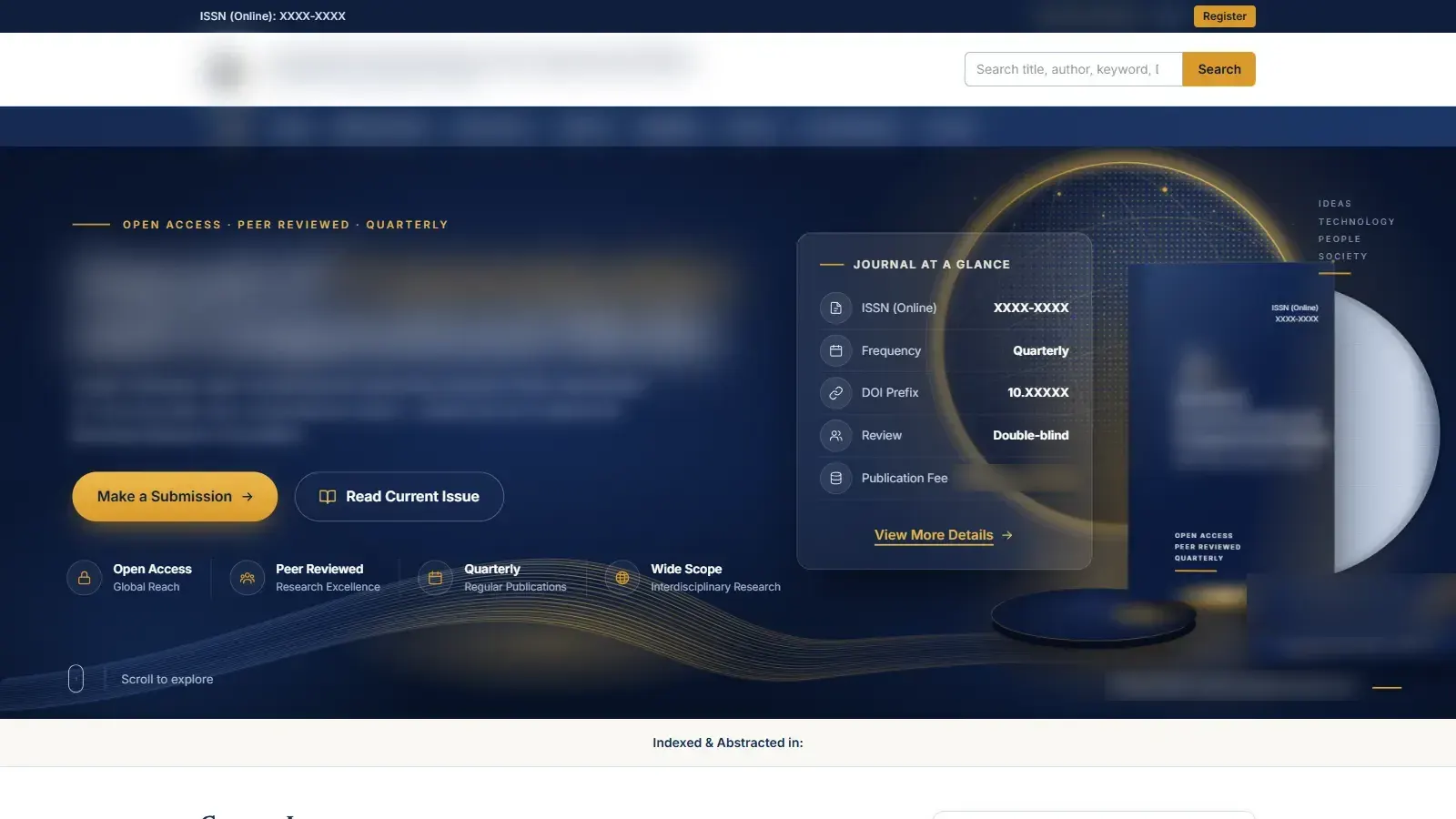
The complete online home of a research foundation's peer-reviewed journal: a public site that readers and academic indexers see, and a private workspace where manuscripts are submitted, reviewed double-blind, revised, accepted and published. It covers the same workflow as Open Journal Systems, on a modern stack that the editorial office runs without a developer.
The Brief
Most academic journals run on OJS. It works, but it looks dated and it is hard to make it feel like a serious publisher. The foundation pointed us at an existing OJS journal as the reference. It wanted the same mechanics (submissions, blind peer review, issue archives, indexing metadata), a reading experience closer to the big academic publishers, and infrastructure that could start on free tiers.
The workflow had to be strict. Reviewers must never see who wrote a paper. Authors must not be able to quietly change a submission once it is in. Nothing goes live until the publication fee is verified and the author has approved the final proof.
What We Built
-
✦
A seven-role editorial workspace Author, Reviewer, Section Editor, Editor, Editor-in-Chief, Production and Admin, enforced on the server. One account can hold several roles, and each person sees only the tools their roles allow.
-
✦
Double-blind peer review Authors upload an anonymised copy of the manuscript alongside the full one. Editors invite reviewers, who accept or decline, read only the anonymous file, and fill in review forms that the office designs in a form builder. Decisions (accept, minor or major revisions, reject) can go through as many revision rounds as needed.
-
✦
Change control after submission Once a paper is submitted, its author can no longer edit the details. They can only replace the manuscript file, and only before review starts. Every admin edit is compared field by field and written to a change log. The author gets an email and an in-app notice with the editor's note, and the edit carries through to the public article if it is already live. Withdrawals and unpublishing go into the same log. If an unpublished paper is published again, it gets back its URL, page range and metrics.
-
✦
Fee verification and proof approval Authors of accepted papers pay by UPI QR and upload proof of payment, and the office verifies it. Production uploads the final PDF galley. The author has to approve that proof before the Publish button becomes available.
-
✦
A public journal that matches OJS A current issue and archive with cover art, and issue tables of contents grouped by section. Article pages show the abstract, keywords, affiliations, ORCID iDs, the full-text PDF, a cite button (APA, MLA, BibTeX) and real view and download counts. The counters update atomically: a view counts once per session, and a download counts only when the PDF is actually served.
-
✦
Built to be indexed Every article carries the full set of Google Scholar citation meta tags, including the full-text PDF URL, plus Periodical and Article structured data, canonical URLs, Open Graph cards, a sitemap and robots rules. Signed-in pages are kept out of search.
-
✦
An admin panel for the office Dashboard, submissions, reviewer registrations (applicants stay locked until their credentials are checked), review forms, sections, issues, editorial board, announcements, journal settings and a full activity log.
The Stack
Next.js 16 (App Router) with React 19, TypeScript and Tailwind CSS v4, hosted on Vercel. Firebase Authentication verifies a user once, and from then on the app uses its own signed session cookie. MongoDB Atlas stores only records. Manuscripts, galleys and covers sit in a private Vercel Blob store and are served through one access-controlled route: published galleys are public, and every other file is checked against the requester's role and ownership. Notifications go out over SMTP via Nodemailer. Login endpoints are rate-limited, rendered HTML is sanitised, and security headers apply site-wide. The data layer is switched by environment variables. Without credentials it runs entirely in a local mock mode, so we could test the whole workflow end to end before any production service existed.
The Outcome
The portal is live on the foundation's own domain, and the editorial office runs it. We handed it over with a plain-language user manual: one chapter per role, plus a worked example that follows a single paper from submission to publication. It came with an end-to-end test-run walkthrough and an anonymous sample manuscript to practise on. After launch we kept working through client feedback: editor tools, editorials and full-text, issue pages that match OJS, and search-engine readiness.
Running a journal or research programme on ageing software? Reach out. We build editorial workflows that the office can run without us.